
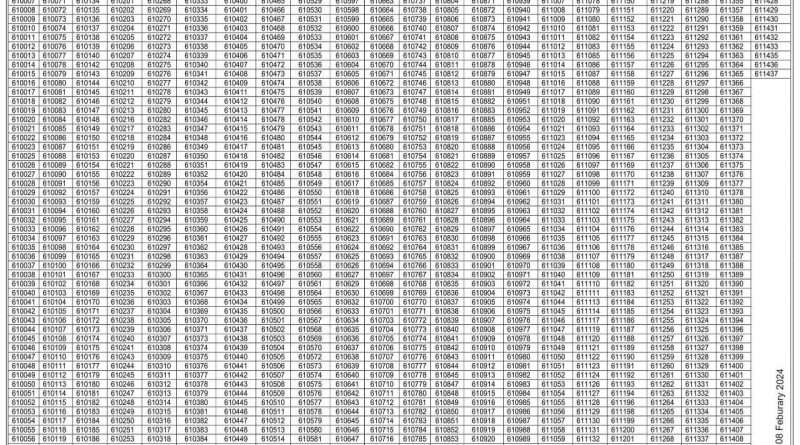
TA Army GD Result Declared : check here Now
TA Army CEE Written Exam Result for GD Candidates: Complete Details
The Territorial Army (TA) General Duty (GD) recruitment process includes multiple stages, with the Common Entrance Examination (CEE) being a crucial step. Candidates who pass the physical fitness test (PFT) and medical examination are eligible to appear for the CEE written exam. The result of this exam determines whether a candidate moves forward in the selection process.
How to Check the TA Army GD CEE Result?
The TA Army GD CEE result is released through the official channels of the Indian Army. Candidates can check their results by following these steps:
- Visit the Official Website –
- Login to Your Account – Use your registered ID and password.
- Locate the Result Section – Look for the latest TA Army GD result under the ‘Results’ or ‘Latest Notifications’ tab.
- Download and Check – The result is usually available in PDF format. Search for your roll number or name.
- Visit the Recruitment Office – Sometimes, results are displayed on notice boards at the Army Recruiting Office (ARO) where you appeared for the exam..
Details Mentioned in the Result
The TA Army GD CEE result generally includes:
- Candidate’s Roll Number
- Qualifying Status (Pass
- Instructions for Further Process
Download Result 160 BN
Download Result 161 BN
